A good thermostat schedule in a Texas summer is not just about picking a number. It is about keeping the house comfortable, controlling humidity, and giving the AC a realistic job. Around Ferris and Ellis County, the outside temperature can stay high late into the evening, attics get brutally hot, and a small thermostat mistake can make the house feel worse even when the equipment is running.
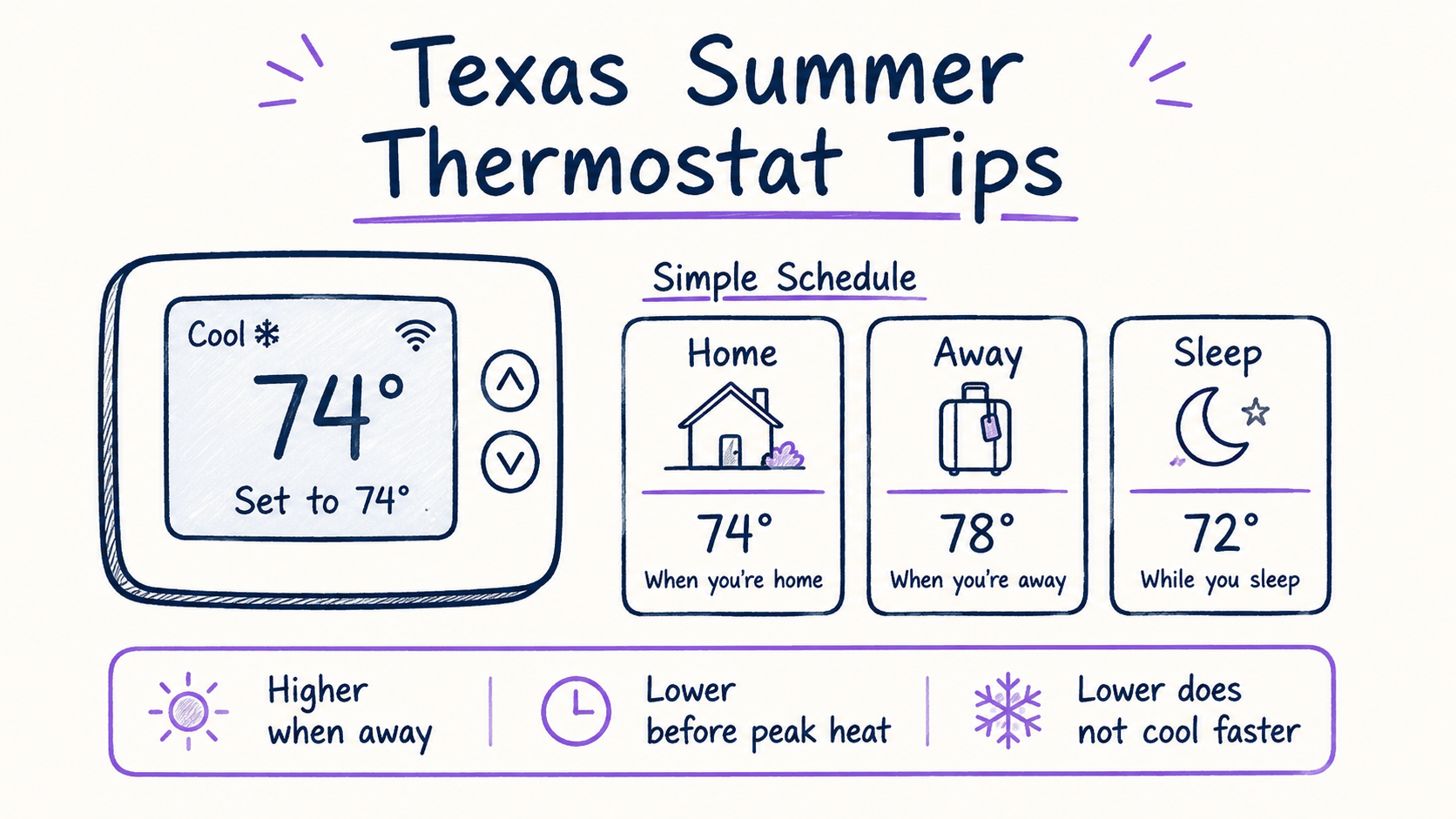
Here is the practical answer: many homes do well around 76–78°F when people are home, 78–82°F when away, and 74–77°F for sleep, adjusted for the house, pets, insulation, and humidity. Those numbers are a starting point, not a rule. The best setting is the highest temperature that still feels comfortable and keeps humidity under control.
The thermostat does not cool faster when you set it lower
One of the most common summer mistakes is coming home to a warm house and dropping the thermostat to 65°F because it feels like that should make the AC “work harder.” Most residential systems do not cool faster because the target temperature is lower. They run at their normal cooling capacity until the indoor temperature reaches the setpoint.
That means setting it extremely low usually does one of three things:
- The system runs longer than necessary.
- The house gets too cold in some rooms and still uncomfortable in others.
- An existing airflow, refrigerant, filter, duct, or insulation problem gets masked instead of fixed.
A better approach is to set a reasonable target and watch whether the system can steadily pull the temperature down. If the thermostat is set to 76°F and the house sits at 81°F for hours, the number on the thermostat is not the real issue. That is a cooling performance problem.
A practical Texas summer schedule
For a typical single-family home, try a schedule like this:
Morning
Set the thermostat to the normal comfort setting before the house heats up. For many homes, that is 76–78°F. If your thermostat has a smart recovery feature, let it start early instead of waiting until the exact time you wake up.
Workday or away period
Raise the cooling setpoint a few degrees, usually 78–82°F. Avoid huge setbacks in extreme heat. In a Texas summer, letting the house climb too high can make the AC run for hours trying to recover, especially if the ductwork is in the attic or the home has a lot of west-facing glass.
A reasonable away setback is usually 2–5 degrees, not 10–15 degrees.
Late afternoon and evening
This is when many homes struggle most. The outdoor temperature is still high, the attic is heat-soaked, and sun-facing rooms may feel warmer. Set the thermostat back to your comfort range before the house gets too hot. If your system has trouble recovering every day between about 4 p.m. and 8 p.m., that may point to insulation, duct leakage, airflow restriction, low refrigerant, an oversized/undersized system, or solar gain rather than a thermostat setting problem.
Sleep
Many people sleep better a little cooler, often 74–77°F, with ceiling fans used for comfort. If lowering the thermostat at night makes the system run constantly or leaves the home clammy, adjust the schedule gradually instead of making a big jump.
Humidity matters as much as temperature
A house at 77°F with reasonable humidity can feel better than a house at 74°F that feels damp. Air conditioners remove moisture while they run, but humidity control depends on proper run time, airflow, system sizing, and drain performance.
Signs the thermostat setting is not controlling humidity well:
- The house feels sticky even when the temperature is low.
- Supply vents sweat.
- The AC short-cycles and shuts off quickly.
- Indoor humidity stays high for long periods.
- Closets, bedrooms, or bathrooms smell musty.
If the system cools the air quickly but does not run long enough to remove moisture, the issue may be more than the thermostat. Oversized equipment, poor airflow, thermostat location, fan settings, or duct problems can all affect comfort.
Use “Auto” fan mode most of the time
Most homeowners should use Fan: Auto in summer. In Auto mode, the blower runs when the AC is actively cooling. In Fan: On mode, the blower runs continuously, even after the outdoor unit shuts off.
Continuous fan can help mix air in some homes, but it can also re-evaporate moisture from the indoor coil and blow that moisture back into the home. In humid Texas weather, that can make the house feel clammy.
Use Fan On only when there is a specific reason, such as temporary air mixing, filtration, or a contractor-recommended setup. For everyday summer cooling, Auto is usually the better starting point.
Pets, elderly family members, and sensitive equipment
Do not use a generic “away” setting if someone or something in the home needs a tighter comfort range. Pets, older family members, medical equipment, aquariums, musical instruments, and certain stored items may need a cooler and more stable indoor temperature.
For pets, many homeowners keep the away setting around 78–80°F rather than letting the house drift much higher. Also remember that a sunny room, closed interior door, or poor airflow can make one part of the house warmer than the thermostat reading.
Two-story homes need a little more strategy
Two-story homes often have a warm upstairs and a cooler downstairs. If each floor has its own thermostat and zoning system, avoid setting one zone extremely different from the other. Big temperature differences can create comfort problems and long run times.
If the home has only one thermostat, usually downstairs, the thermostat may satisfy before upstairs bedrooms are comfortable. In that case, thermostat settings alone may not fix the problem. Check simple items first:
- Are upstairs supply vents open?
- Is the return grille blocked?
- Is the filter clean?
- Are bedroom doors usually closed?
- Does the attic ductwork look crushed, disconnected, or poorly insulated?
- Does the system have enough return air?
Ceiling fans can help people feel cooler, but they do not lower the actual room temperature. Turn fans off in empty rooms.
Smart thermostat settings worth checking
Smart thermostats are useful, but only when the settings match the house. Look for these settings in the app:
Schedule
Make sure the schedule reflects how the home is actually used. Old schedules from a previous homeowner or a different work routine can create comfort problems.
Eco or away mode
Eco settings can save energy, but aggressive eco temperatures may let the home get too hot and humid. In summer, start with a mild setback and adjust.
Smart recovery or early-on
This feature learns how long the system needs to reach the target temperature. It can make the home comfortable by the scheduled time instead of starting at the scheduled time.
Temperature differential or cycle rate
Some thermostats let you adjust how much the temperature can drift before the system cycles. Do not change this randomly. A very tight setting may cause short cycling, while a wide setting may allow uncomfortable swings.
Humidity settings
Some thermostats can overcool slightly for dehumidification or control accessories. Make small changes and watch the result. If humidity stays high, the thermostat may not be the cause.
When a thermostat setting is not the real problem
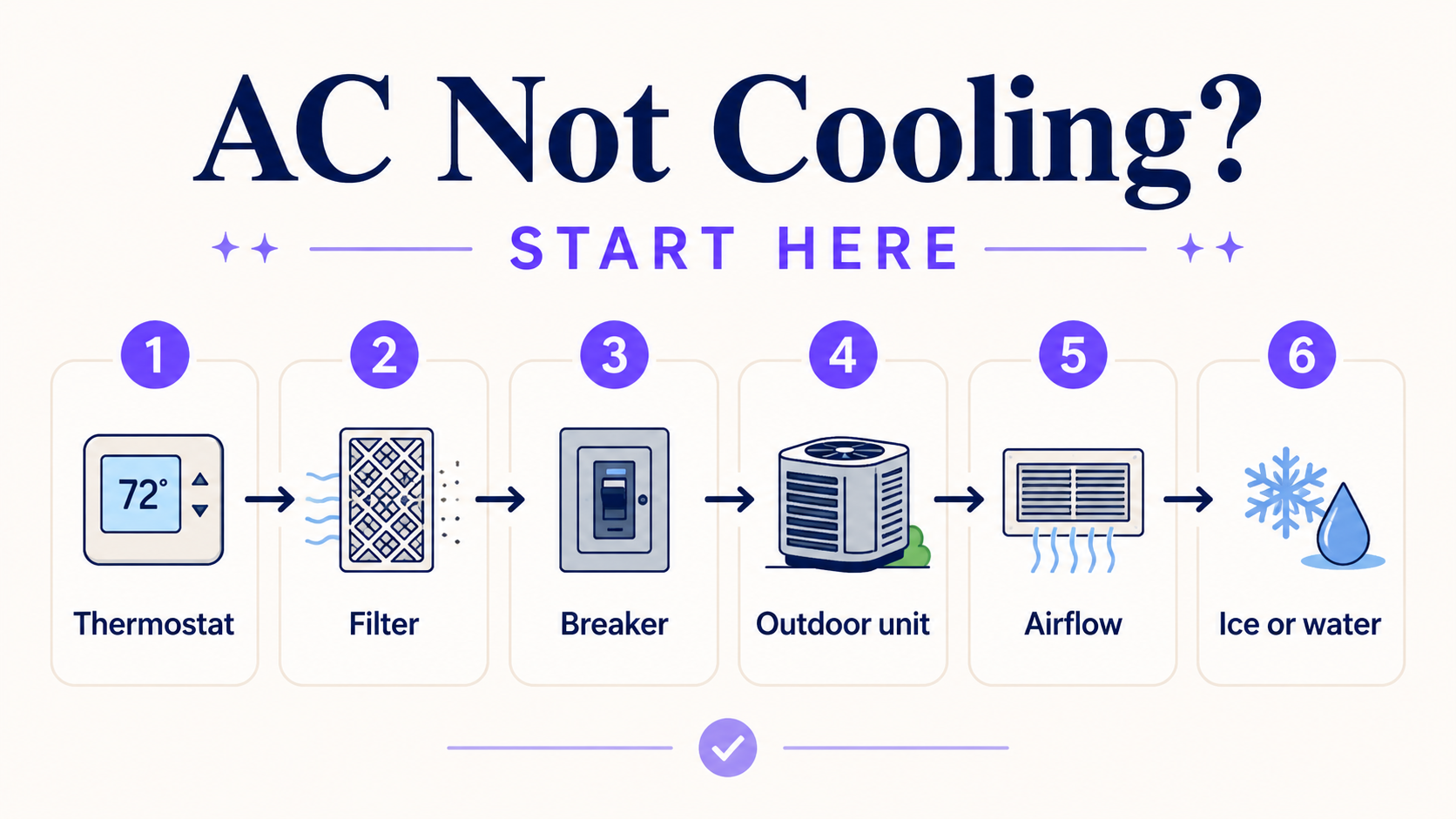
Thermostat advice only helps if the HVAC system is capable of doing the job. request service if:
- The AC runs constantly and never reaches the set temperature.
- The temperature rises indoors even while the system runs.
- Air from the vents feels weak.
- Some rooms are much hotter than others.
- The indoor unit or refrigerant lines have ice on them.
- The breaker trips more than once.
- The thermostat screen goes blank.
- The system turns on and off every few minutes.
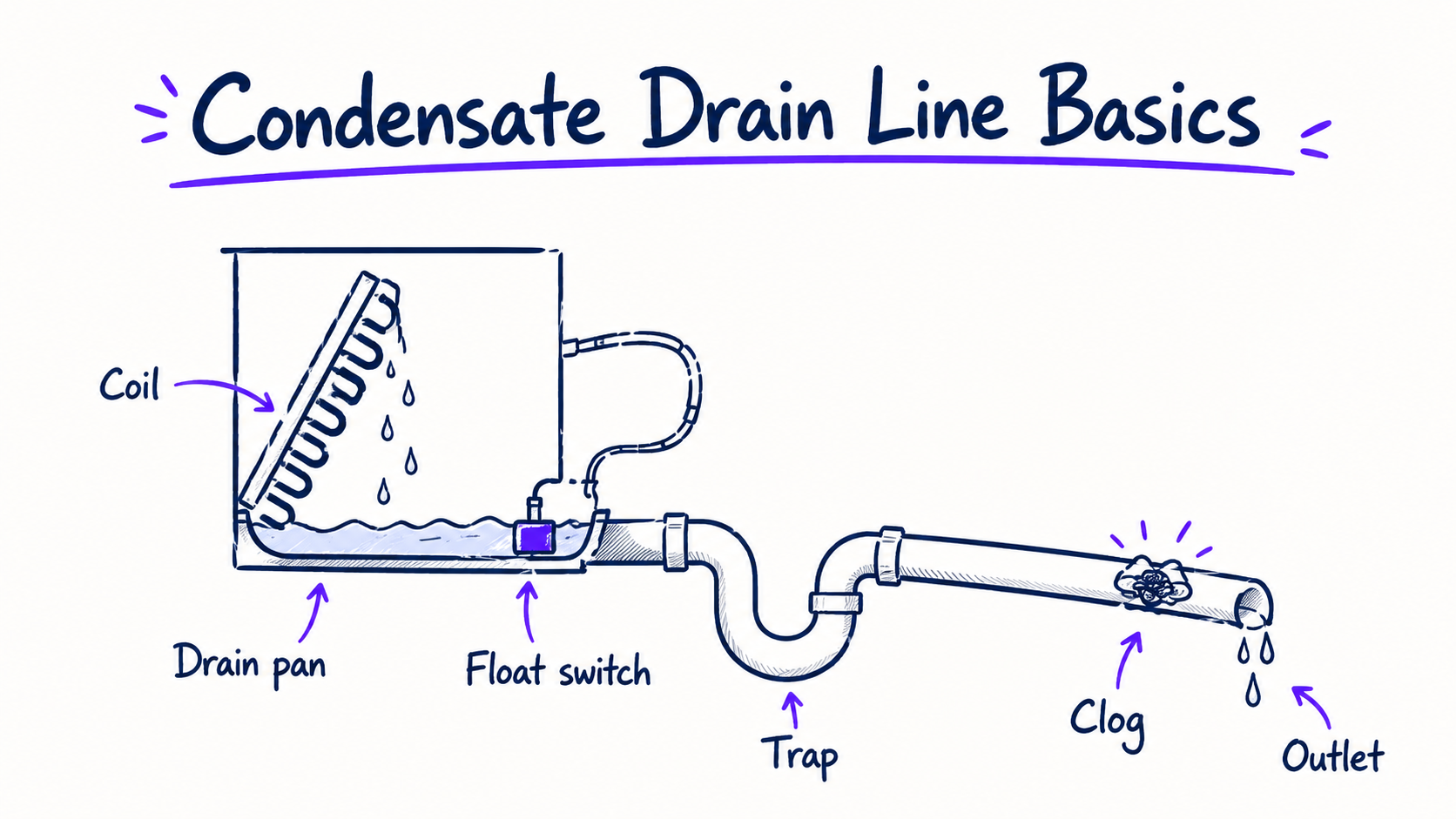
- There is water near the indoor unit.
Do not keep lowering the thermostat to force a struggling system. If there is ice, weak airflow, a dirty coil, a refrigerant issue, or a drain safety switch problem, a lower setting can make the situation worse.
Quick starting settings for Ferris-area homes
Use these as a practical starting point:
| Situation | Starting setting | Notes |
|---|---|---|
| Home during the day | 76–78°F | Raise or lower based on comfort and humidity. |
| Away for several hours | 78–82°F | Use smaller setbacks during extreme heat. |
| Sleeping | 74–77°F | Pair with ceiling fans for comfort. |
| Pets home alone | 78–80°F | Consider room-by-room heat and airflow. |
| Vacation | 82–85°F | Do not let humidity get out of control. |
These are not magic numbers. A well-insulated home with tight ducts may feel good at a higher setting. An older home with leaky ducts, poor attic insulation, or lots of sun exposure may need a different plan.
FAQ
What is the best thermostat setting for summer in Texas?
A common starting point is 76–78°F when home and 78–82°F when away. The best setting is the highest temperature that feels comfortable while keeping humidity reasonable.
Should I turn my AC off when I leave for work?
Usually no. In Texas summer heat, turning the AC off can let the home get very hot and humid. A moderate setback is usually better than a complete shutdown.
Does setting the thermostat lower cool the house faster?
Usually no. Most residential AC systems cool at the same rate regardless of whether the thermostat is set to 76°F or 65°F. A very low setting mostly makes the system run longer.
Should the fan be set to Auto or On?
Auto is usually the better summer setting because the blower runs during cooling cycles. Fan On can sometimes increase indoor humidity by blowing moisture off the coil after cooling stops.
Why is my house still hot even though the thermostat is set low?
That usually means the thermostat is calling for cooling but the system or house cannot keep up. Common causes include dirty filters, airflow restrictions, duct leakage, attic heat, low refrigerant, dirty coils, or equipment issues.
Related guides
- AC Not Blowing Cold Air? Start With These Safe Checks
- Static Pressure Basics: Why Airflow Problems Fool People
- Attic Ductwork: What to Check Before You Blame the Equipment
- A Simple Seasonal HVAC Maintenance Calendar for Texas
Sources worth reading
- U.S. Department of Energy: https://www.energy.gov/energysaver/programmable-thermostats
- ENERGY STAR Smart Thermostat information: https://www.energystar.gov/products/smart_thermostats
- U.S. Department of Energy air conditioner maintenance: https://www.energy.gov/energysaver/maintaining-your-air-conditioner
WHEN TO REQUEST SERVICE
Need help with this issue in Ferris or nearby Ellis County?
Submit a request and we will review it for local follow-up. Include what the system is doing, when it started, and anything you have already checked.